Sandbox Parent App1.0.23
Publisher Description
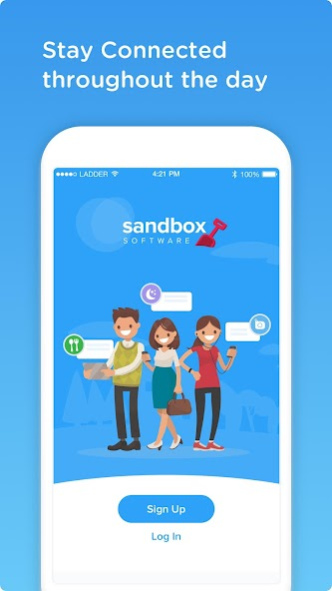


*Please note that this App will only work for parents with children enrolled at childcare centers who use Sandbox Software, and who have the Sandbox Parent Portal enabled.
The Sandbox Parent App is the easiest way to stay connected with your child care provider. Use the Parent App to communicate directly with teachers in the classrooms as well as centre administrators, and to keep track of your child's daily activities and their milestone moments as they happen. Push notifications ensure that you’ll never miss a moment. You can also pay invoices online and update your child’s information as necessary.
Sandbox Parent App enables parents to:
- View pictures and updates of their children through the Newsfeed and Daily Logs section
- Communicate directly to the center administrator as well as teachers in their children's classes
- View invoices & tax receipts
- Pay invoices and outstanding balances
- Generate statements
- Manage payment cards
- Manage their child’s information, photos, medical information and upload attachments
- View their child’s class and schedule enrollments
- View daily activity logs and attendance history
About Sandbox Parent App
The company that develops Sandbox Parent App is Procare Software. The latest version released by its developer is 1.0.23.
To install Sandbox Parent App on your Android device, just click the green Continue To App button above to start the installation process. The app is listed on our website since 2020-11-30 and was downloaded 3 times. We have already checked if the download link is safe, however for your own protection we recommend that you scan the downloaded app with your antivirus. Your antivirus may detect the Sandbox Parent App as malware as malware if the download link to com.runsandbox.parent is broken.
How to install Sandbox Parent App on your Android device:
- Click on the Continue To App button on our website. This will redirect you to Google Play.
- Once the Sandbox Parent App is shown in the Google Play listing of your Android device, you can start its download and installation. Tap on the Install button located below the search bar and to the right of the app icon.
- A pop-up window with the permissions required by Sandbox Parent App will be shown. Click on Accept to continue the process.
- Sandbox Parent App will be downloaded onto your device, displaying a progress. Once the download completes, the installation will start and you'll get a notification after the installation is finished.
Program Details
System requirements
Download information
Pricing
Version History
version 1.0.23
posted on 2020-11-30
Daily Logs Child selection fix
version 1.0.22
posted on 2020-11-19
Add Newsfeed refetch for when feed fails to load.
Other minor updates.
version 1.0.21
posted on 2020-11-05
Improved logging and error handling
version 1.0.20
posted on 2020-10-27
Performance Updates
version 1.0.19
posted on 2020-10-01
Fix default class on Daily Logs screen
version 1.0.18
posted on 2020-09-22
Updates for some users not being able to see Newsfeed.
version 1.0.17
posted on 2020-08-28
Fix for selecting children
version 1.0.16
posted on 2020-08-20
Fix for settings not loading for some users
version 1.0.15
posted on 2020-08-06
Daily log bug fixes for viewing children
version 1.0.14
posted on 2020-07-30
Fix daily logs for users who can not see them
